


Introducing DataHub Cloud v2.4
As data estates grow and AI agents become data consumers, data management is increasingly complex. Lineage graphs get hard to read as they grow. Agents can’t tell which data and context to trust. And you only find out an ingestion recipe is wrong after it has run.
DataHub Cloud v2.4 takes on all three challenges while adding additional improvements. You can group and filter lineage, admins and data stewards can certify trusted assets and documents, and the Ingestion Agent checks a source before you ingest from it. This release also adds shareable Ask DataHub workspaces.
Let’s take a look at what’s new at DataHub Cloud.
Lineage: Group by and filters
Large lineage graphs are hard to read. The new “Group by” lens combines assets that share a platform, domain, or glossary term into one node, so big graphs are easier to follow. You can now:
- Group lineage by platform, domain, or glossary term
- Filter grouped lineage by any search filter
- Save a grouping setup for your team (requires the new Manage Lineage Lenses privilege)
- Share a grouped view by URL
- Let AI agents read grouped lineage through MCP
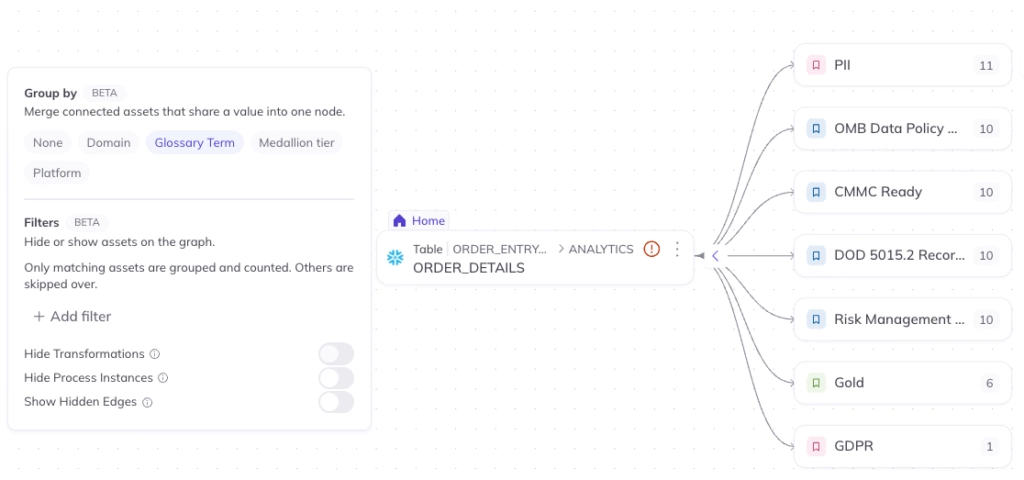
Learn more about Lineage in our docs. This is a Beta feature, so expect ongoing improvements.
Ask DataHub: Workspaces and sharing
Ask DataHub, the conversational interface for DataHub Cloud, now organizes chats the way your teams work, and shows each step as it answers. You can now:
- Group chats into workspaces, each with its own instructions and context that apply to every chat inside it
- Share a chat or workspace by link as read-only, and see who opened it
- See answers appear as they’re written, along with each step the agent took
- Explore lineage in an interactive graph inside the chat
- Approve an agent action once for the rest of the chat
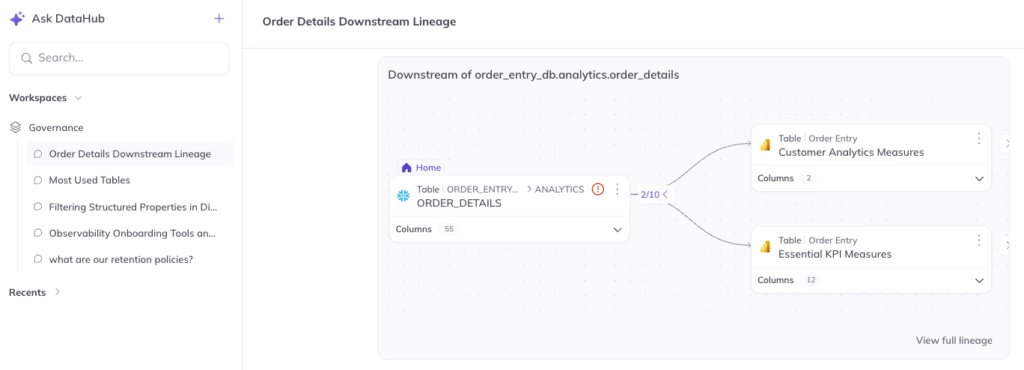
Learn more about Ask DataHub in our docs.
Context: Certify data assets and context documents
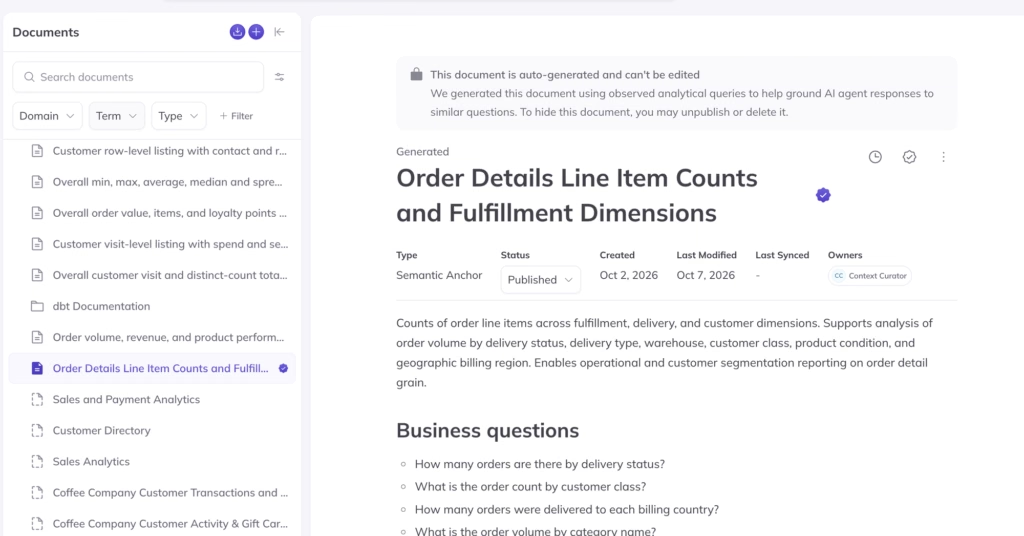
For customers using the DataHub Cloud Context add-on: Admins can now certify tables, dashboards, and documents to help agents find trustworthy sources, and separate signals from noise. Certification is used by Ask DataHub, along with agents querying DataHub MCP or using AI plugins on Claude or ChatGPT to qualify responses, based on the certification status of the data and context used to answer a question.
In this release:
- Admins can mark tables, dashboards, documents and more as explicitly “certified”
- Ask DataHub uses certification to qualify confidence in its responses
- Agents using DataHub’s MCP server can use certification to qualify their responses
Certification can be managed from the Certification tab inside of Context, or on individual data asset and context document pages. This feature is in Public Beta as of this release.
Learn more about proposals in our docs.
Ingestion: Agent improvements
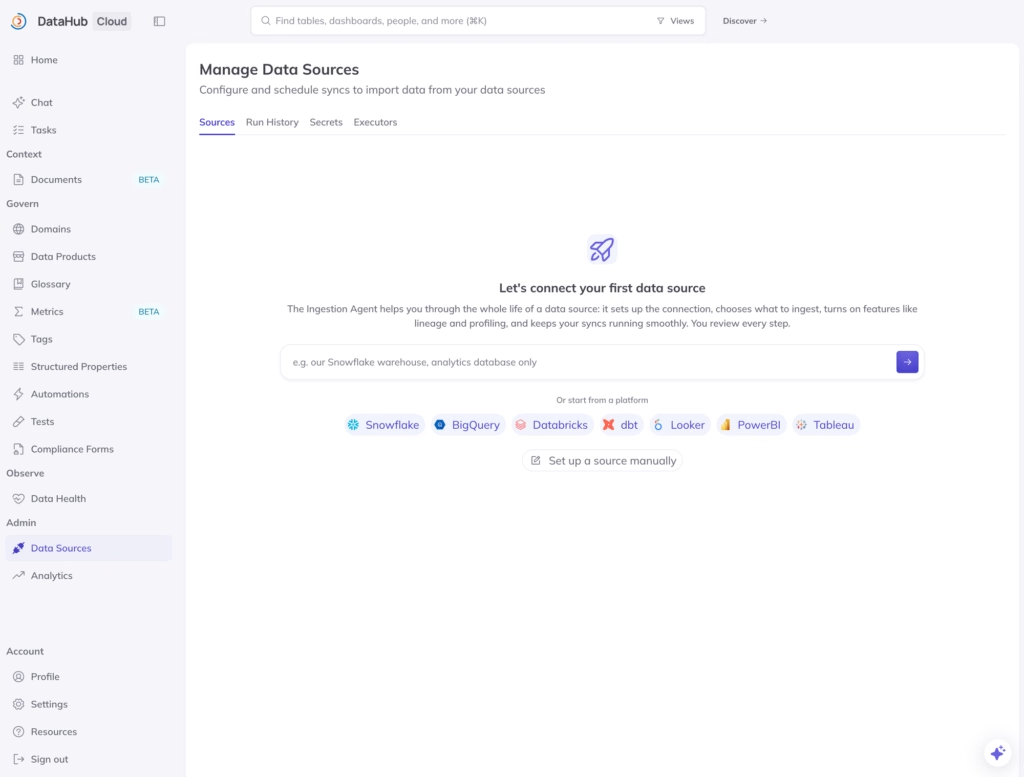
Previously, you learned what an ingestion recipe (the config that defines what to ingest) would pull in only after it ran. Now, the Data Sources page opens with the Ingestion Agent, which checks what your recipe will ingest before you run it. You can now:
- Ask the Ingestion Agent what a source contains
- Check whether a specific table or dashboard would be included
- Use it with about 20 major connectors, including Snowflake, Databricks, Looker, and Tableau
- Run datahub recipe probe from the CLI, read-only, for people and AI agents
Usage Stats analytics dashboard
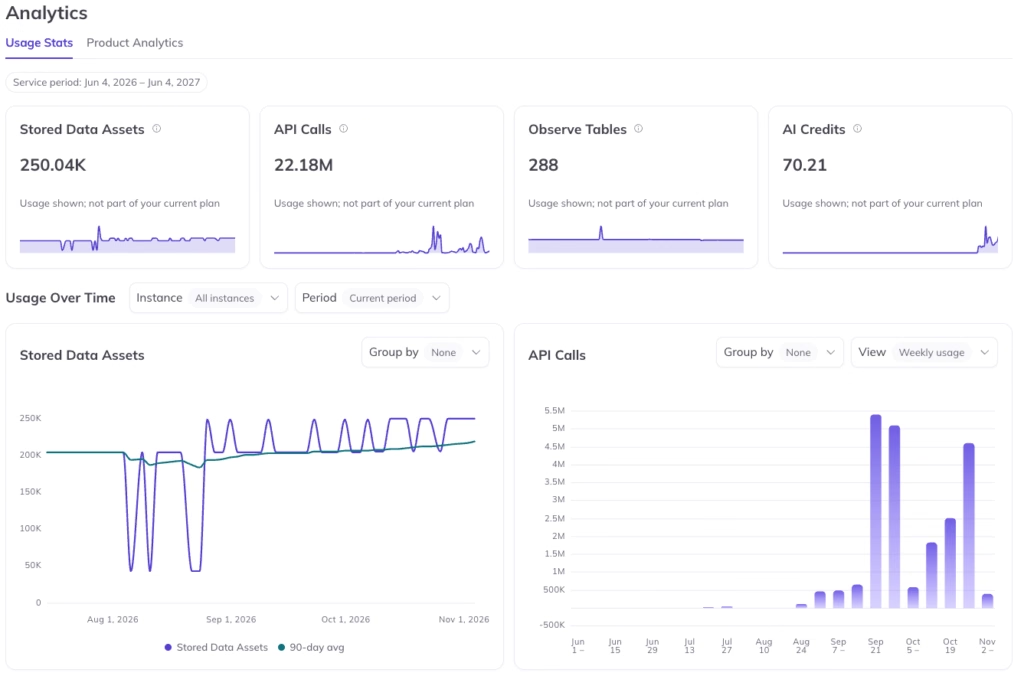
The Usage Stats analytics dashboard offers visibility on usage in your DataHub Cloud instance for the selected period, including:
- Stored Data Assets: peak count of datasets, dashboards, charts, etc
- API Calls: usage of MCP, REST/OpenAPI, and GraphQL API calls
- Observe Tables: peak count of tables monitored
- AI Credits: running total of AI feature usage
If you have a pricing plan, you will see a burndown for API calls and AI credits against your allotted amount, and total stored data assets or Observe tables compared to allowed. In addition, the following cards are Monthly Active Users and active data sources are visible.
Learn more about Usage Stats in our docs. This is a Beta feature, so expect ongoing improvements.
New in platform
- New MCP Server tools: Read grouped lineage, and create and review proposals, plus search within a specific domain or container
- Ask DataHub in other tools: Use Ask DataHub from other AI tools that support MCP
- Remote Executor status: See whether an executor is busy or stuck, with a status view and a resources report
- Metrics on by default: Metrics and Semantic Models are now enabled by default in Public Beta
New connectors
Google Drive joins DataHub’s 150+ connector library in Alpha. It ingests Google Docs from chosen folders and shared drives, so they are searchable and usable as context for agents. This release also lets you sign in to Snowflake without a stored password or key, shows Open Data Contract Standard files as data contracts in DataHub, and brings dbt metrics and semantic models in as Metrics.
What’s new in DataHub Cloud v2.4
| Capability | What it does | Who will benefit the most |
| Lineage Group by and filters | Combines lineage by platform, domain, or glossary term, with filters, saved groupings, and shareable URLs | Data platform engineers, analytics engineers |
| Ask DataHub workspaces and sharing | Organizes chats into workspaces with their own instructions and context, and shares chats by link | Data analysts, data platform engineers |
| Proposal review page | Shows a full-page diff of proposed changes, with editing and Refine with Agent | Domain experts, data stewards |
| Ingestion Agent and recipe probe | Checks a source and a recipe’s filters before ingestion | Data platform engineers |
| Remote Executor observability | Shows executor status and a runtime report on the Executors page | Data platform engineers, admins |
| Google Drive (Alpha) | Ingests Google Docs as searchable Document entities | Data platform engineers, AI teams |
Let’s build together
We’re building DataHub Cloud in close partnership with our customers and community. Your feedback helps shape every release. Thank you for continuing to share it with us.