


Introducing DataHub Cloud v0.3.17
DataHub Cloud v0.3.17 expands into the Microsoft Fabric ecosystem with native connectors, brings multi-tool context to Ask DataHub through MCP Plugins, allows data assets to belong to more than one data product, makes data quality monitoring faster to set up and more reliable at scale, and introduces a community-driven AI framework that lets teams build new data source connectors in hours instead of days, using LLM-powered skills for planning, development, and code review.
Let’s take a look at what’s new.
Microsoft Fabric Connectors
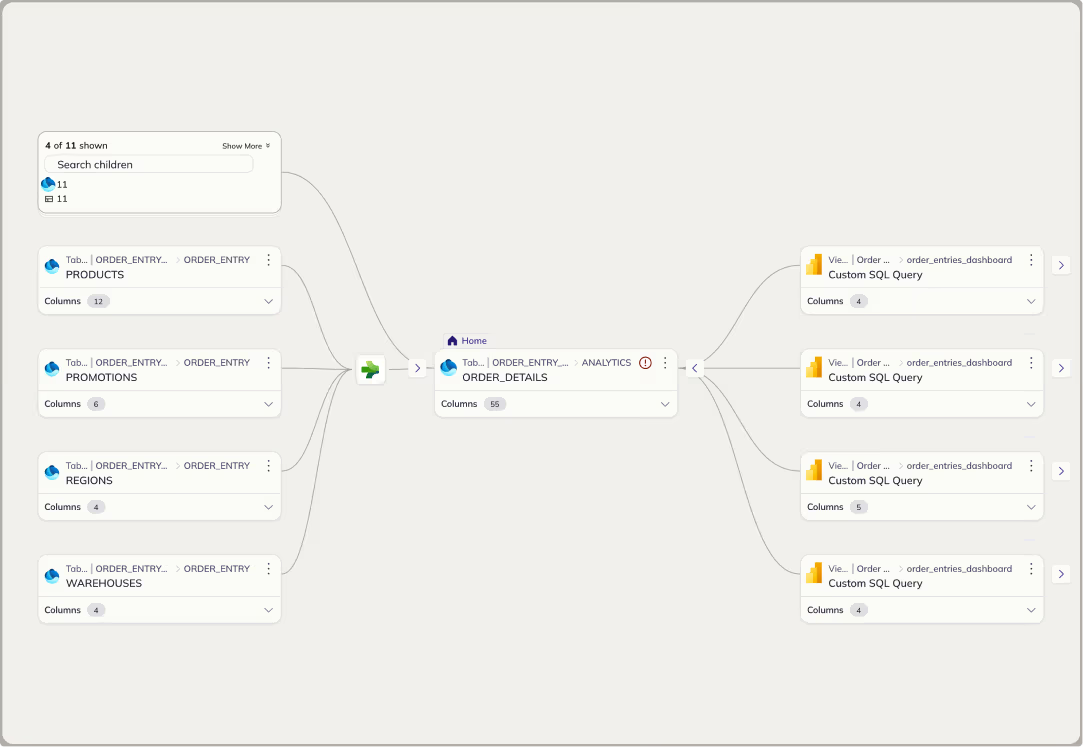
DataHub now connects natively to the Microsoft Fabric ecosystem, including Fabric OneLake, Fabric Data Warehouse, and Fabric Data Factory, alongside existing Power BI support.
Previously, teams using Fabric alongside other platforms had no way to trace lineage across ecosystem boundaries. Metadata lived in silos, and understanding how data flowed between Fabric and external systems like Snowflake, Databricks, or dbt required manual effort.
Now, DataHub stitches lineage across Fabric and every other platform in your stack automatically. See exactly how data moves from a OneLake source through Fabric Data Factory into a Power BI dashboard, in one connected lineage graph.
This is especially valuable for organizations where data pipelines span multiple systems. Instead of piecing together lineage from separate tools, you get a single, unified view of your entire data supply chain.
Currently available in Public Beta for DataHub Core and Cloud users.
Ask DataHub Plugins
Ask DataHub, our conversational AI assistant, can now directly connect to tools like GitHub, dbt, Snowflake, Glean, BigQuery, Databricks, Notion, and any MCP-compatible tool.
Previously, Ask DataHub could only search your DataHub context graph. If the answer required context from your codebase, SQL queries against your data warehouse, or real-time access to an external knowledge base, you had to leave DataHub and investigate manually.
What Ask DataHub plugins unlock:
- Debug complex data incidents faster and without context-switching across tools
- Ask business questions and get data-backed answers from your warehouse, instantly
- Connect to any MCP-compatible tool to extend Ask DataHub’s reach
DataHub Admins can enable Ask DataHub Plugins in Settings > AI > Plugins. Users can enable them directly inside of Ask DataHub chat. Learn more about Ask DataHub Plugins in our docs. Read about Snowflake Plugins.
Multi-Product Data Assets
Our data products serve to provide access to curated sets of data assets, helping to streamline discovery of trustworthy data. We’re now shipping one of our most-requested features by making it possible for a single data asset to belong to multiple data products.
Previously, each data asset could only be assigned to one data product. This forced teams to make awkward trade-offs: either duplicating assets across products or leaving them out of products where they were in fact relevant.
Now, DataHub can link any asset to as many data products as users see fit. Data consumers see the full set of assets in each product and data producers have better control over how their assets are packaged and shared.
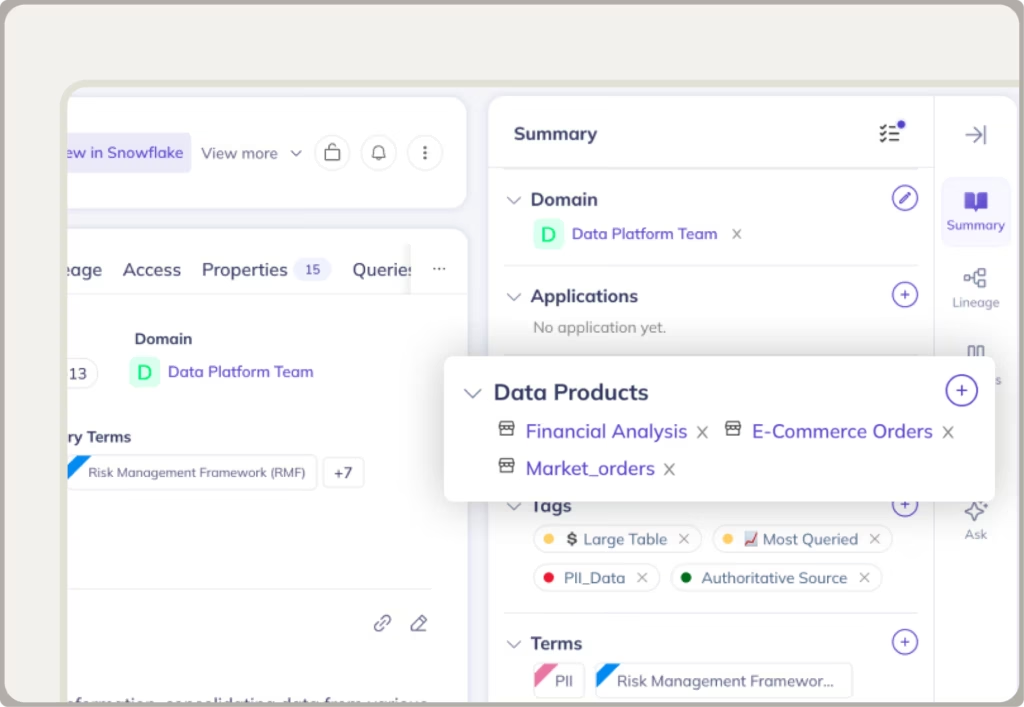
Learn more about Multi-Product Data Assets in our docs. Generally available for DataHub Core and Cloud users.
Smarter Data Quality Monitoring
We’ve made three improvements to Observe that make data quality monitoring easier to set up and even more trustworthy.
1. Monitoring Rules
You can now create rules that continuously monitor schemas, domains, and other asset properties. Previously, setting up this kind of monitoring required custom configuration. Now, define a rule once and it applies automatically as your data landscape changes.
Learn more about Monitoring Rules in our docs.
2. Smart Assertion Training Backfill
Smart assertions now train on up to one year of historical data, immediately. Previously, new assertions needed weeks of data collection before they could detect anomalies reliably. Now, they start working from the moment you turn on their assertions, automatically detecting holidays and yearly seasonality, ultimately improving anomaly detection accuracy.
Learn more about Smart Assertion Training Backfill in our docs.
3. Bucketing
It’s now possible to bucket data by day or week, enabling you to measure data quality issues as your data changes over time. This can be a big unlock for datasets with seasonality or weekly periodicity.
Learn more about Bucketing in our docs.
Together, these updates make it significantly easier to get comprehensive quality coverage quickly and build trust in the data assets your teams own.
Currently available in Public Beta for DataHub Cloud users only.
AI-Driven Development for New Data Source Connectors
We are making it easier to connect any tool in your stack to DataHub, get the connector production-ready, and ship it back to the community in a matter of hours. Here’s what it includes:
- load-standards: the exact review checklist our maintainers use, in your context before you write a line of code
- datahub-connector-planning: build a planning doc any maintainer would recognize as production-quality
- datahub-connector-pr-review: know exactly what needs fixing before a maintainer ever sees your code
Check out our agent skills for planning and reviewing DataHub connectors. It works with Claude Code, Cursor, Codex, Copilot, Gemini CLI, Windsurf, and other Agent Skills-compatible tools:
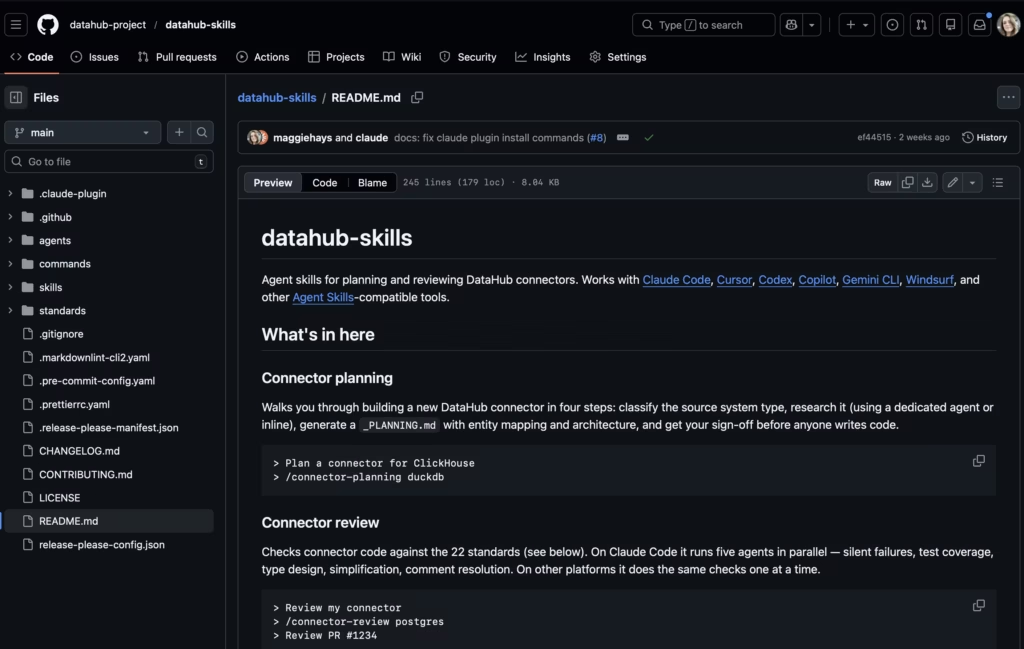
Visit the GitHub Repo to get started.
View the full demo
Important Changes to the Slack Integration
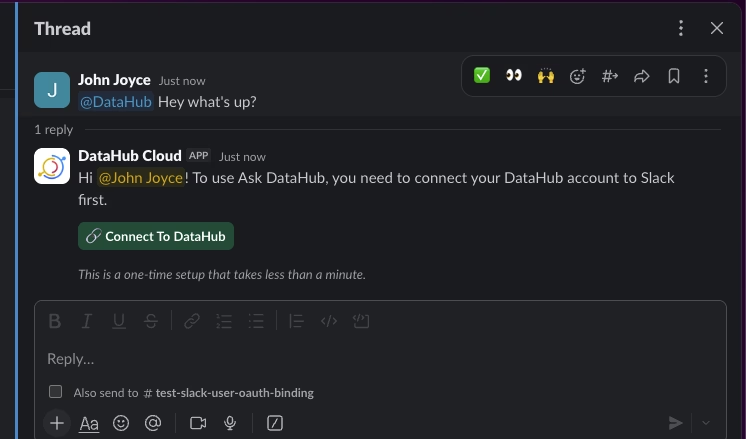
In this release, we’ve made some important changes to the Slack integration. Users will be now prompted to connect their Slack account to their DataHub account via OAuth login flow before using interactive features like Ask DataHub (AI assistant), Slash commands, and message actions (e.g. resolving an incident).
This one-time process takes less than 30 seconds and ensures that we can correctly associate the Slack user id to their DataHub account, so that policies and permissions defined in DataHub are enforced when users are interacting with the DataHub AI assistant or taking actions.
Once your account is connected, all personal notifications & subscriptions will be delivered in the form of Slack Direct Message. If you were previously routing notifications to a channel in Slack for personal notifications, please consider migrating to Group subscriptions, which allow routing notifications to a specific channel in Slack.
Read more in the Slack App setup guide.